If you are searching for a MonsterInsights alternative, you probably want to know whether you need Google Analytics behind your WordPress reports at all. MonsterInsights and Live Traffic Analytics both show traffic inside wp-admin, but they are built on very different foundations. This comparison explains how each one works, who each suits, and how to decide without guesswork.
Two different approaches to WordPress analytics
The biggest difference is where the data lives. MonsterInsights describes itself as a way to connect your WordPress site with Google Analytics. It adds the tracking code to your site and then brings Google Analytics reports into your WordPress dashboard, so the data itself is collected and kept by Google Analytics.
Live Traffic Analytics takes a self-contained route. It records visits in dedicated tables in your own WordPress database and builds its reports from that data. There is no Google Analytics account to create or connect, and every report sits under one admin menu: Traffic Analytics.
Neither approach is wrong. They answer different needs, and the right choice depends on whether Google Analytics is already part of how you work.
What MonsterInsights does well
MonsterInsights is a mature plugin with a large user base on WordPress.org. If your business already depends on Google Analytics, it gives you a friendlier way to read that data without leaving WordPress. Based on its WordPress.org page and official site, these are its main strengths:
- Google Analytics in wp-admin: reports such as Audience, Content, Landing Pages and Technology appear inside your dashboard.
- eCommerce reporting: eCommerce, cart abandonment and funnel reports, with WooCommerce and Easy Digital Downloads support, on its Pro tier.
- Form conversion tracking: a Forms report with integrations for popular form plugins, also on paid plans.
- Campaign tools: Source and Medium and Campaign reports, plus a URL builder listed on its paid plans.
- Extra Google features: a Search Console report, custom dimensions and an EU compliance addon with options such as IP anonymization and cookie consent integrations.
In short, MonsterInsights suits stores, lead-generation sites and marketing teams that want Google Analytics data, including sales and form conversions, presented in a simpler way.
Where Live Traffic Analytics is different
Live Traffic Analytics is for site owners who want useful traffic reports without setting up or managing a Google Analytics property. Here is what that looks like in practice.
Reports built from your own database
Because data is stored in your WordPress database, your reports do not depend on an outside analytics account. You decide how long to keep data with the Keep data for setting, run a cleanup when you want, and check Database usage from Settings. Read more in our guide to privacy friendly analytics in WordPress.
Free real-time overview and breakdowns
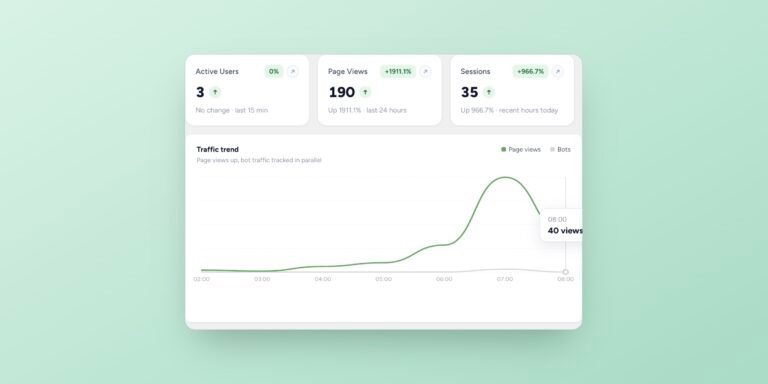
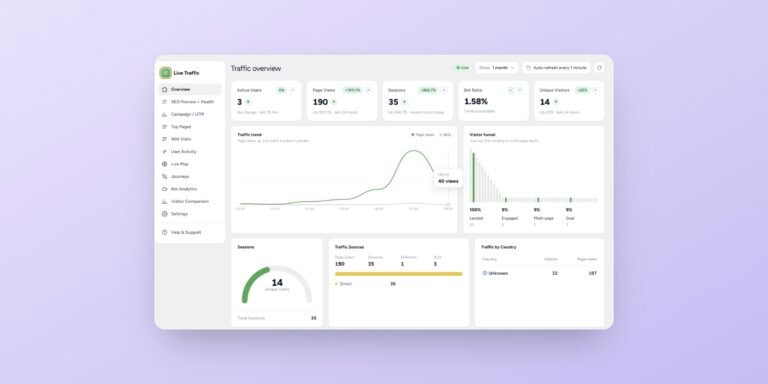
The Free Overview shows active users, page views, sessions, unique visitors, a 24-hour trend and KPI changes. You also get device, browser, country and referrer breakdowns, plus a simple visitor funnel (Landed, Engaged, Multi-page, Goal).
Free campaign, 404 and SEO tools
Three Free reports go beyond basic traffic counts:
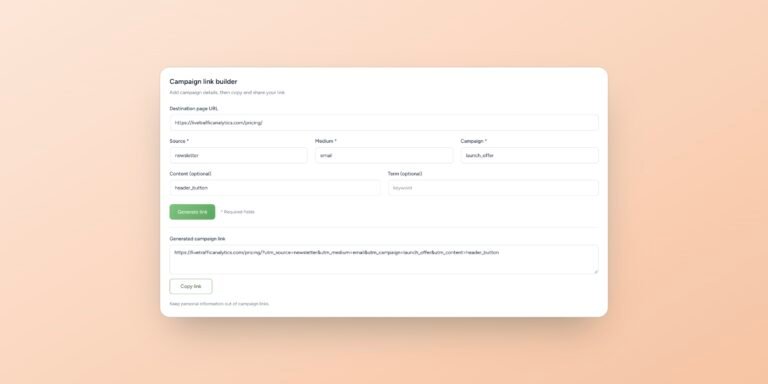
- Campaign / UTM: a built-in link builder and sessions grouped by UTM combination. See campaign features.
- 404 Visits: recorded visits to real WordPress 404 pages, grouped by missing path and referrer, with bots excluded.
- SEO Preview + Health: a Google-style desktop and mobile preview plus checks for titles, meta descriptions, H1s, canonicals, noindex rules, image alt text, broken links, robots.txt and sitemaps. See SEO Preview + Health.
Bot ratio and Pro visitor detail
The Free Overview shows bot ratio, bot count and human-visitor count, so you can tell when a spike is automated. Pro adds named-bot analytics, User Activity, User Journeys, an interactive Live Map, Visitor Comparison and CSV/PDF export (Pro).
Side-by-side comparison
This table only lists points we could confirm on each product’s public pages. Where we could not confirm a detail, we wrote “Check their site”.
| Feature | Live Traffic Analytics | MonsterInsights |
|---|---|---|
| Where data is kept | Dedicated tables in your WordPress database | Google Analytics (the plugin connects your site to it) |
| Google Analytics needed | No | Yes, it is built around Google Analytics |
| Reports inside wp-admin | Yes | Yes |
| Real-time visitors | Active users in Free | Realtime dashboard listed on paid plans |
| UTM link builder and campaign report | Free | Campaign reports and URL builder listed on paid plans |
| 404 visit report | Free | Check their site |
| On-page SEO checks | SEO Preview + Health (Free) | Search Console report (Pro feature) |
| Bot ratio in overview | Free | Check their site |
| eCommerce and form conversion tracking | Not offered | Yes, on Pro plans |
| Visitor journeys and live map | Pro | Check their site |
| Export | CSV/PDF (Pro) | PDF export of custom dashboards on paid plans |
Feature details checked against each product’s public pages in November 2026. Products change, so confirm on their site before deciding.
For plan details, see the MonsterInsights pricing page and our own Live Traffic Analytics pricing.
Which one fits your site?
A quick way to decide is to look at what you need to measure, not at the feature count.
MonsterInsights is likely a better fit if
- You already use Google Analytics and want those reports in WordPress.
- You run a store and need eCommerce, cart or funnel reporting tied to sales.
- You need form conversion tracking or custom dimensions.
- Your team shares Google Analytics data with agencies or other tools.
Live Traffic Analytics is likely a better fit if
- You do not want to create or manage a Google Analytics account.
- You want traffic data stored in your own WordPress database.
- You care about content, campaigns and site health more than sales attribution.
- You want 404 visits, UTM reports and SEO checks in the same menu as your traffic numbers.
Tip: some site owners run a Google Analytics setup for marketing reports and use Live Traffic Analytics for a quick, WordPress-native view of live traffic, 404s and page health. Numbers will differ a little between tools because each one counts visits in its own way.
How to try Live Traffic Analytics alongside your current setup
You do not need to remove anything to test it. Reports start from visits recorded after install, so give it a few days before you compare.
- Install the Free plugin from WordPress.org and activate it.
- Go to Traffic Analytics → Overview and check active users, page views and top referrers.
- Open Traffic Analytics → Campaign / UTM and build a tagged link for your next newsletter or social post.
- Visit Traffic Analytics → 404 Visits after a week to see which missing URLs people actually hit.
- Run a scan in Traffic Analytics → SEO Preview + Health and fix any missing titles or alt text.
- In Settings, turn on “Anonymize visitor IP addresses” and set a data retention period that suits you.
Note that wp-admin visits are not tracked, so your own admin work will not inflate the numbers. For a broader look at the options, read our guide to choosing a Google Analytics alternative for WordPress, or browse the documentation.
Frequently asked questions
Do I need a Google Analytics account to use Live Traffic Analytics?
No. Live Traffic Analytics stores visits in your own WordPress database and builds every report from that data, so no Google Analytics account is required.
Can I use MonsterInsights and Live Traffic Analytics together?
Yes, they work independently. Expect some differences in the numbers, because each tool counts visits, sessions and bots in its own way.
Does Live Traffic Analytics track eCommerce sales or form conversions?
No. It focuses on traffic, sources, pages, campaigns, 404 visits and site health. If you need sales or form conversion reports, a Google Analytics based tool such as MonsterInsights is designed for that.
What do I get in Pro?
Pro adds visitor-level reports: User Activity, User Journeys, an interactive Live Map, named-bot analytics, Visitor Comparison and CSV/PDF export. All Free reports stay available.
Try it on your own site
The fastest way to compare is to see your own traffic in a WordPress-native report. Install Live Traffic Analytics free from WordPress.org, give it a few days of data, and then check Pro plans if you want visitor journeys and the live map.