Live Traffic Analytics for WordPress

Live traffic, clearer decisions.

See who is on your WordPress site right now, which pages they read and where they came from, all inside wp-admin and stored in your own database.

Download free plugin

Free on WordPress.org · No Google Analytics account needed

Built for every kind of WordPress site

One dashboard inside wp-admin

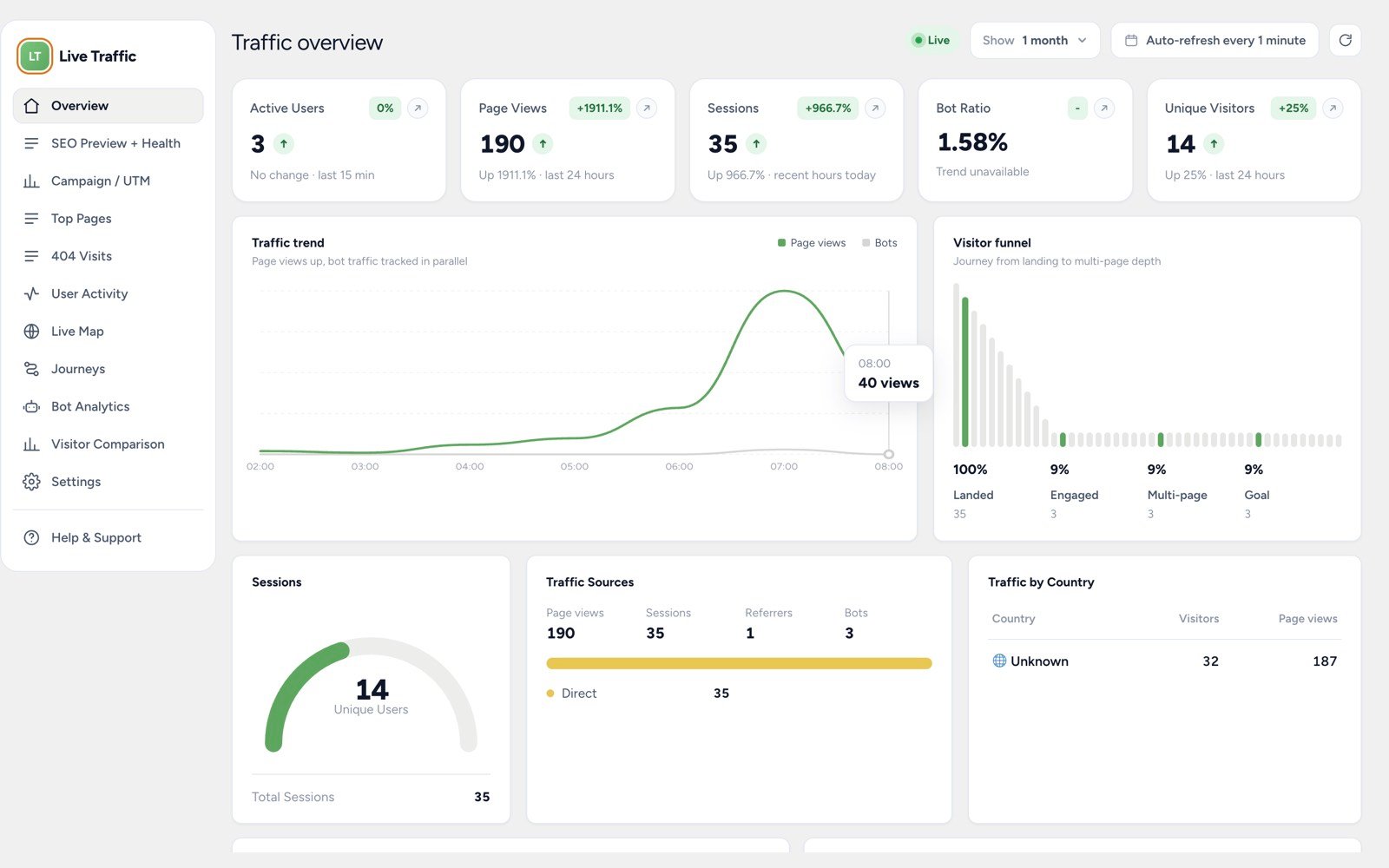
Live visitors, top pages, sources, campaigns, 404 visits and SEO checks in one focused screen. No extra account, no tracking code to paste and no data sent to a separate analytics service.

Typical setup

3 tools

  • 1Analytics accountSeparate login and your visitor data sent to a third party
  • 2Tag managerTracking code to paste, test and keep updated
  • 3SEO checkerAnother tool and often another subscription

An external analytics account, a tag manager and a separate SEO checker, each with its own login and its own copy of your data.

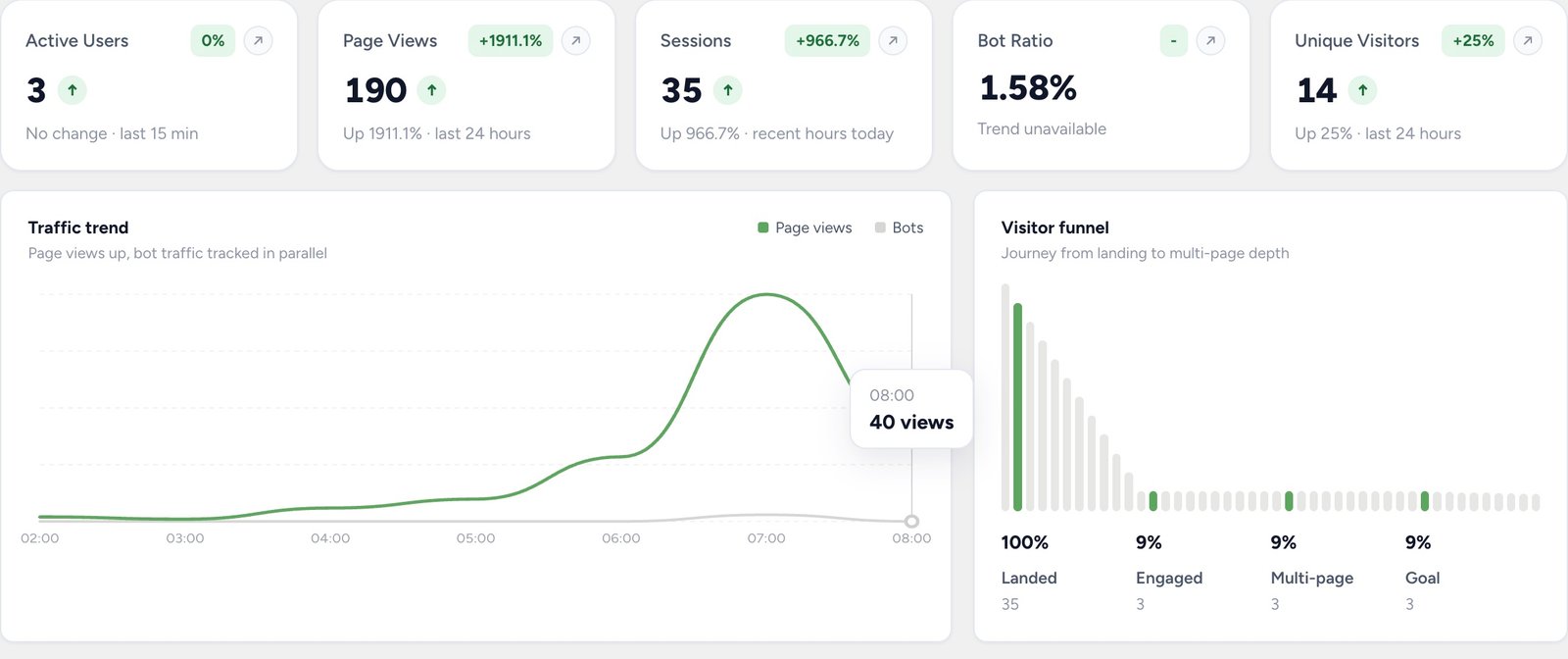
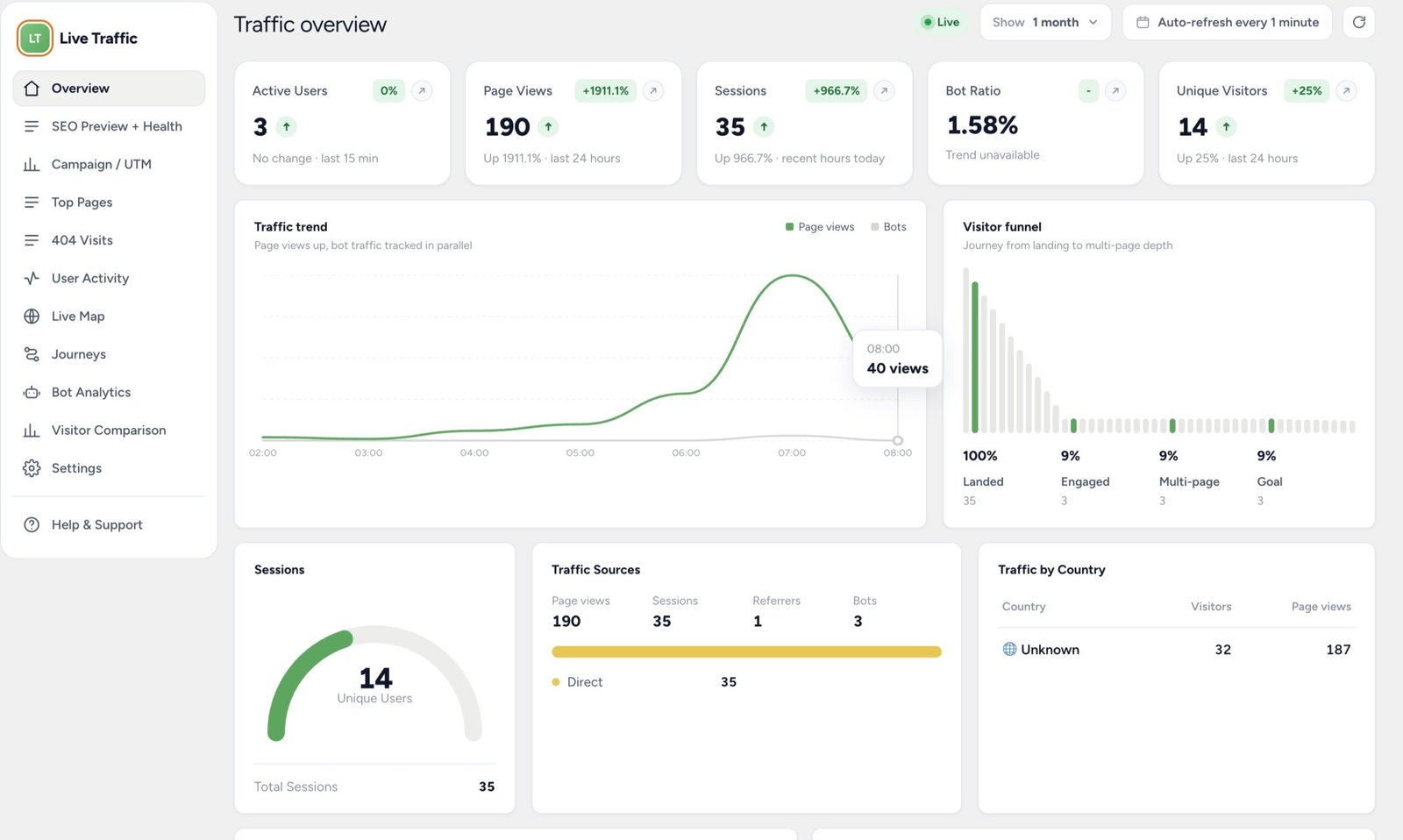
Full Live Traffic Analytics dashboard in wp-admin with KPI cards, traffic trend, visitor funnel and traffic sources

Live Traffic Analytics

1 tab in wp-admin

What you can track

Reports that fit how you run your website, from day one.

  1. Real-Time Visitors
  2. Campaign & UTM
  3. SEO Preview + Health
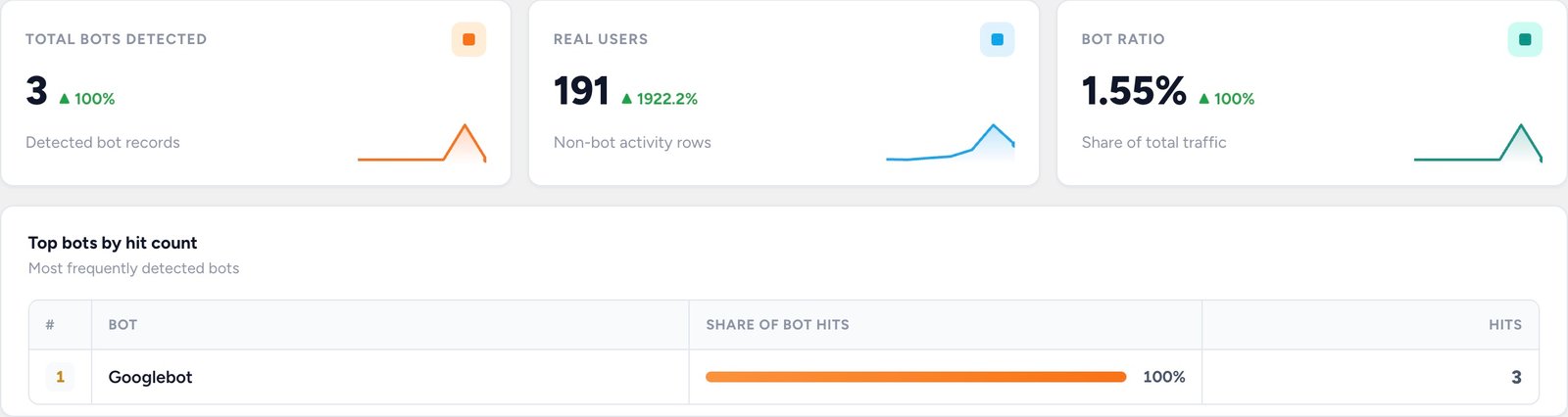
  4. Bot Analytics
Real-time traffic overview with active users, sessions and page views Campaign link builder with a generated UTM link Google search preview and page health checks for the homepage Bot analytics with total bots, real users and bot ratio Stored in your own database

Real-Time Visitors

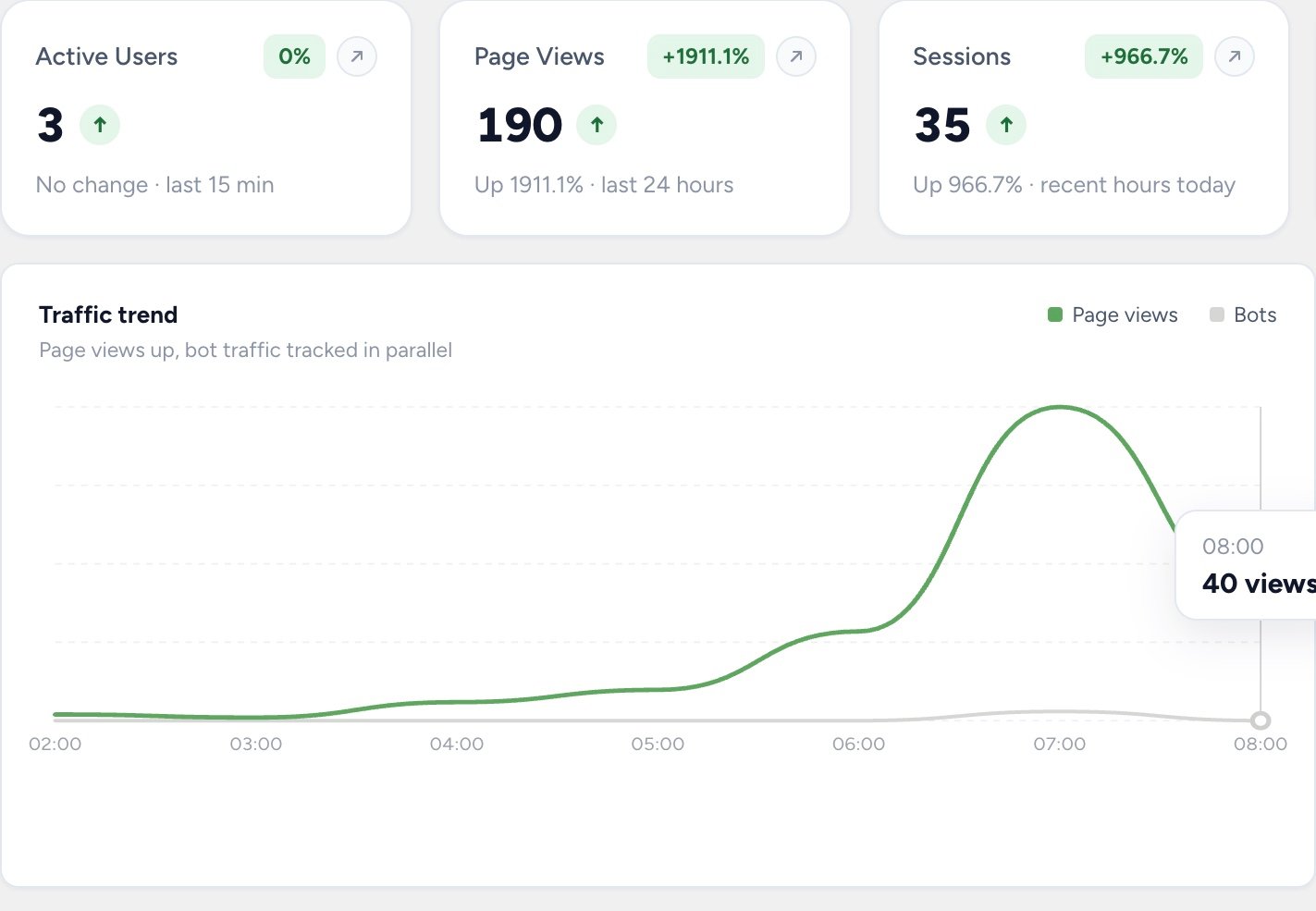
Active users, sessions and page views as they happen, with device, browser, country and referrer breakdowns.

See real-time reports

Campaign & UTM

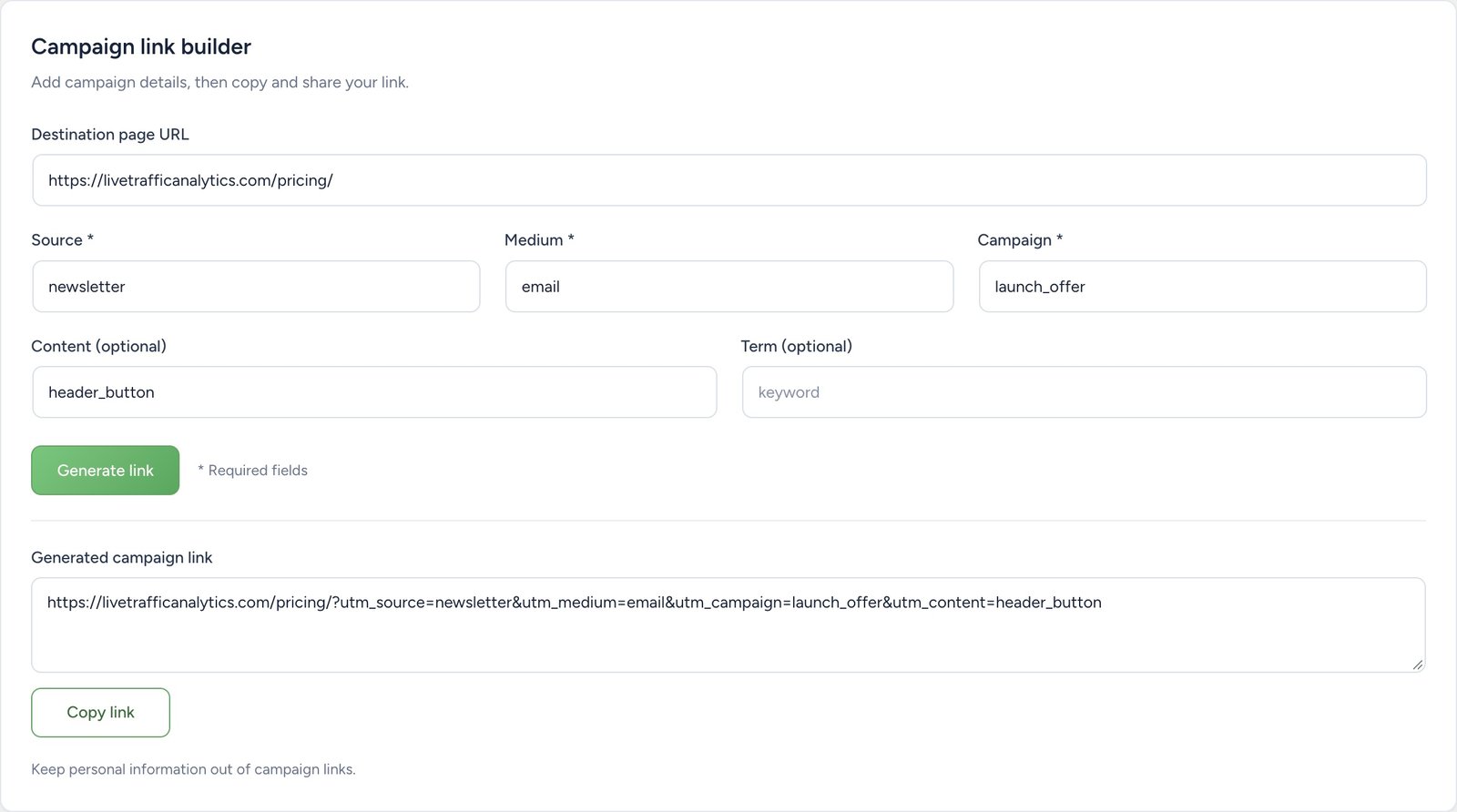
Build tagged links for email, social and ads, then see the sessions each campaign brought to your site.

See campaign reports

SEO Preview + Health

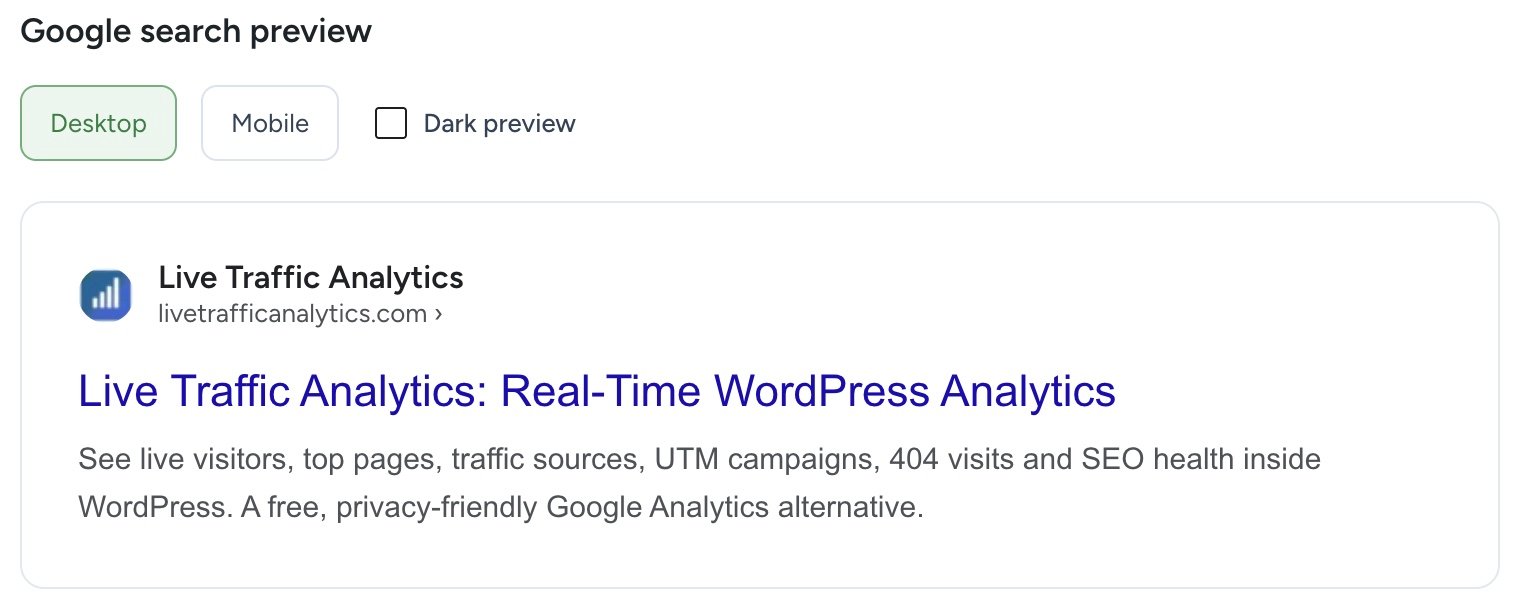
Google-style search previews and on-page checks for titles, descriptions, H1s, canonicals and alt text.

See SEO checks

Bot Analytics

See what share of your traffic is automated, so real visitors are not hidden behind crawlers and scrapers.

See bot reports

Live Traffic Analytics keeps it simple

Built around how you work, not around another dashboard.

Works the moment you activate it.

(01)

No tracking code to paste and no external account to create. Activate the plugin, open a page and the first visit is already in your dashboard.

InstallActivateDone

Tracking starts on the first front-end page view. Admin visits are skipped, so your own clicks stay out of the reports.
0 linesof tracking code to paste

Active users, page views and sessions with the hourly traffic trend
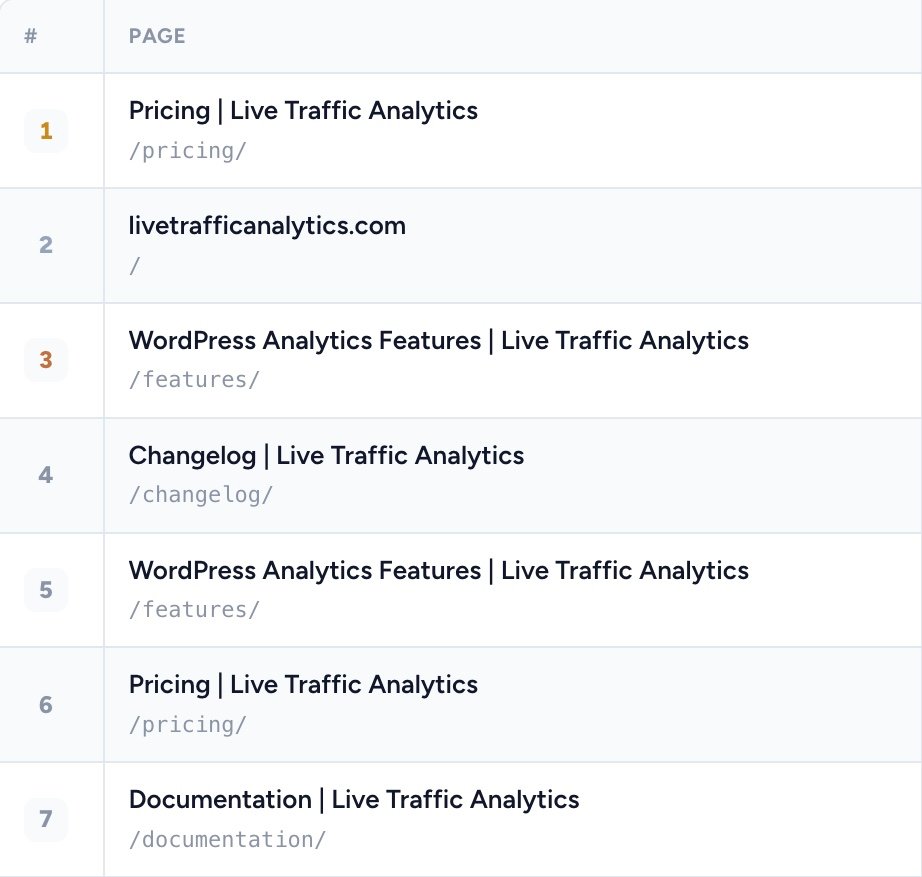
Top pages ranked by total views

Light on your server.

(02)

Reports load for the active tab and the selected date range, using indexed queries, so busy sites are not scanning old records on every view.

OverviewTop Pages404 Visits

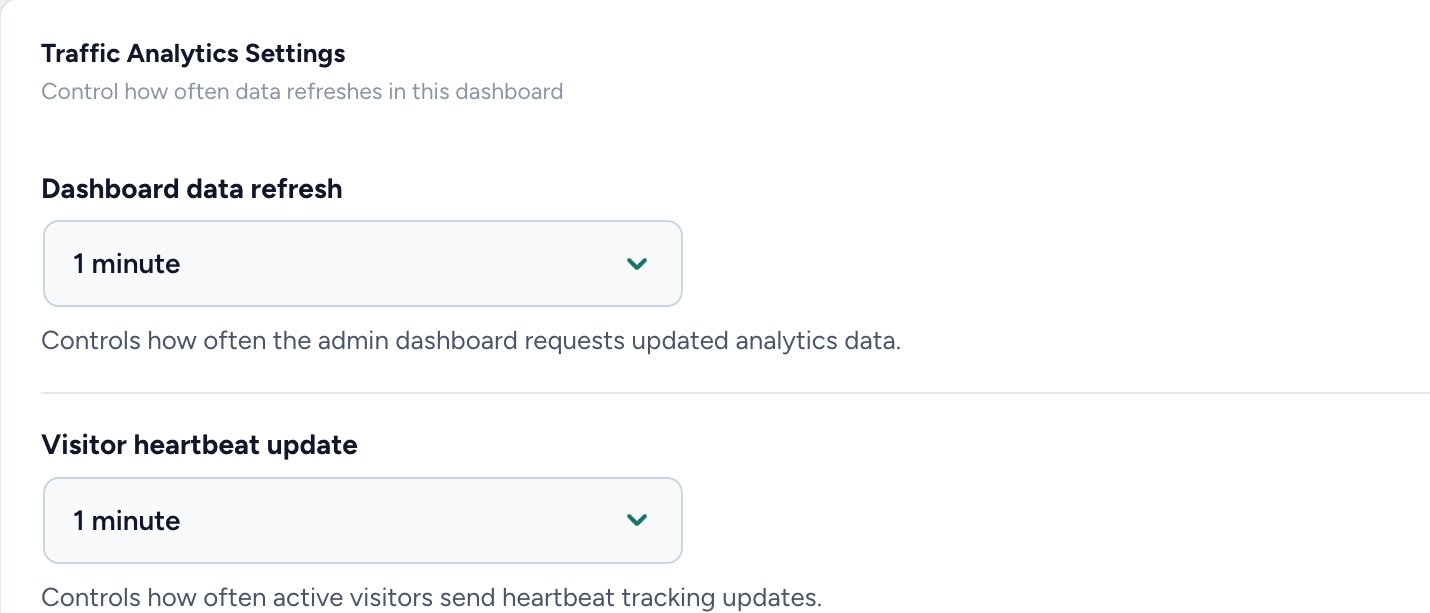
Only the tab you open is loaded. You also choose how often the dashboard refreshes and how often visitors send a heartbeat.

1 tabloaded at a time

Dashboard refresh and visitor heartbeat settings
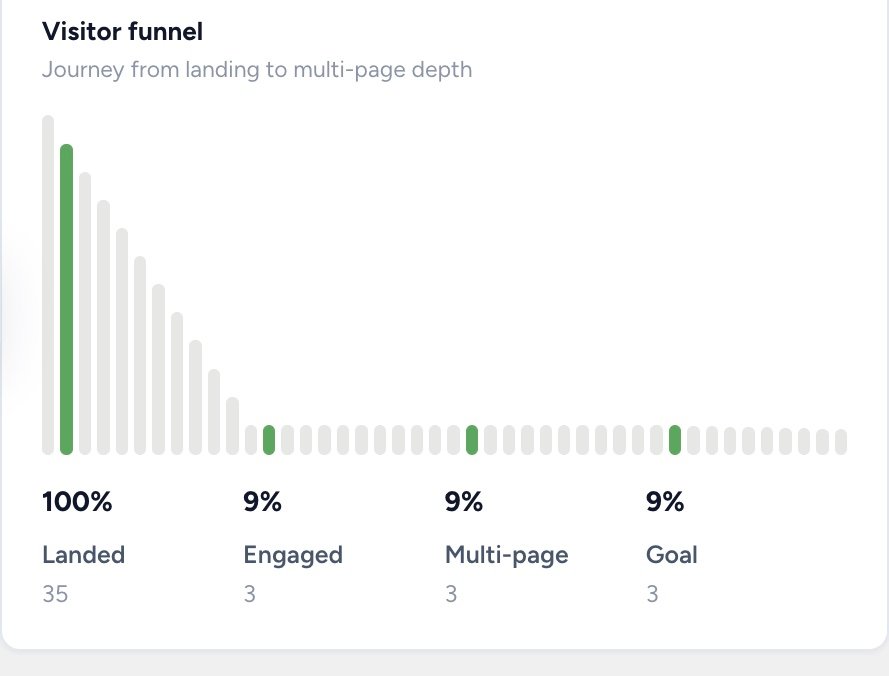
Visitor funnel from landed to engaged, multi-page and goal

Retention you control.

(03)

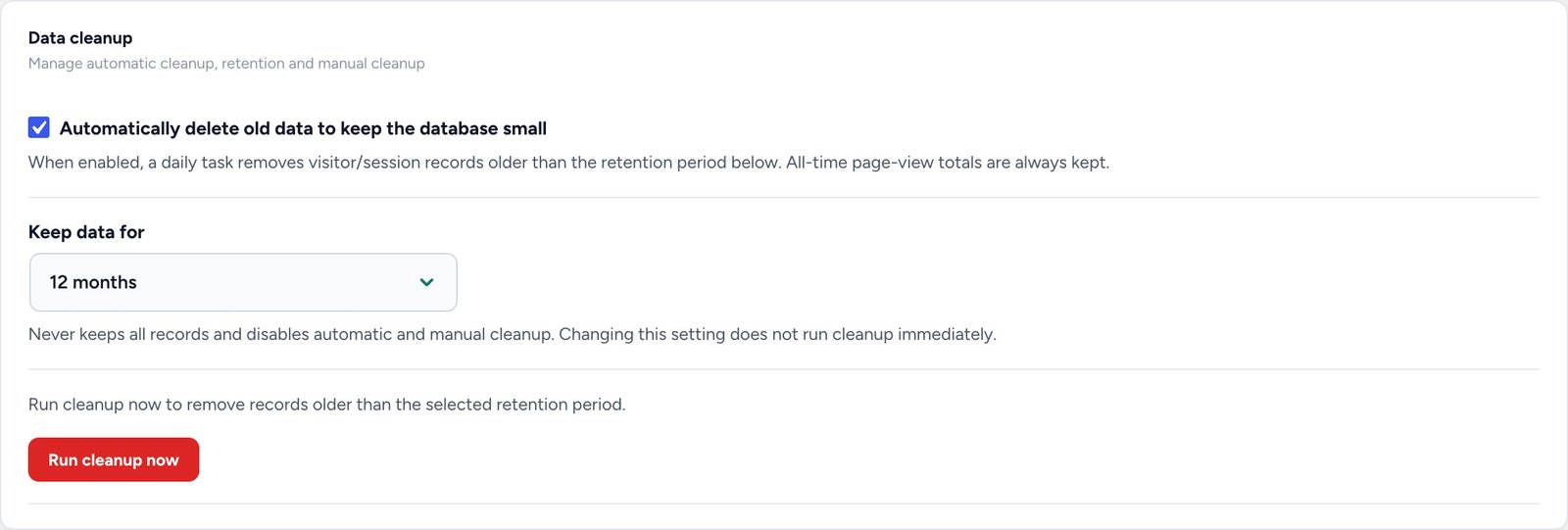
Choose how long data is kept, switch automatic cleanup on or off, or pick Never. All-time page-view totals are always preserved.

12 monthsAuto cleanupIP mask

Turn on IP anonymization and the last part of every visitor IP is saved as 0. Country and map data still work.

Your databasenothing sent to another service

Data cleanup settings with automatic cleanup and 12 month retention
Anonymize visitor IP addresses setting and dashboard data window

Reports you can share.

(04)

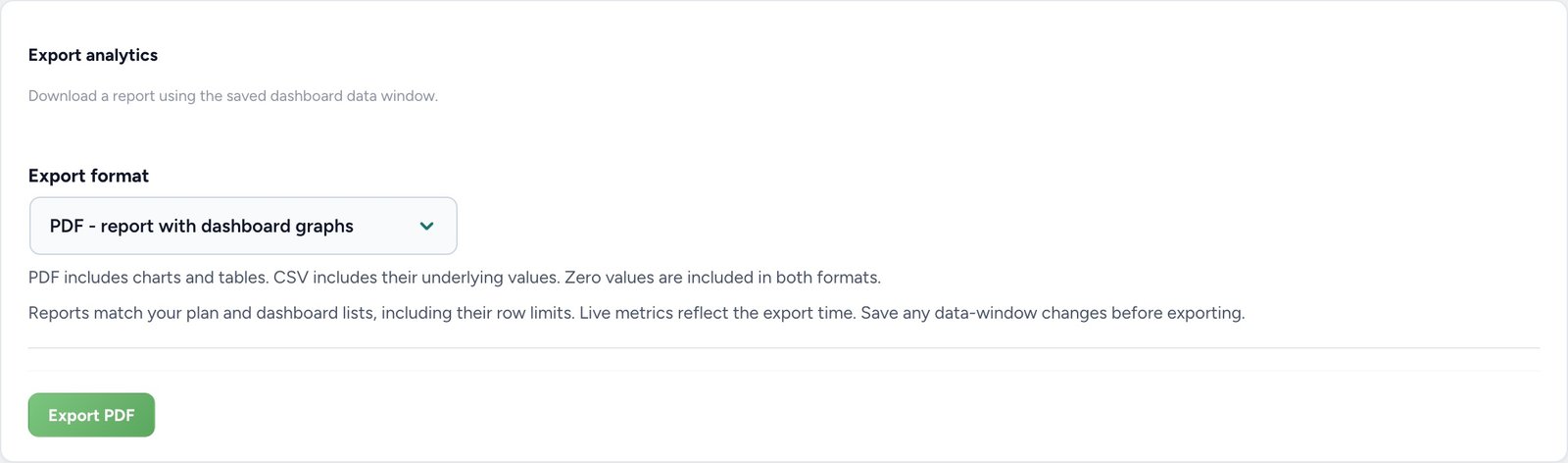
Export the dashboard as a PDF with charts and tables, or as CSV for your own spreadsheets. Files are generated locally in your browser.

PDFCSVPro

PDF includes charts and tables. CSV includes the underlying values for Excel or Google Sheets.

2 formatsfrom one Export button

Export analytics as a PDF report with dashboard graphs or as CSV
Database usage showing storage used by tracking data

Your data stays yours.

Every visit is stored in your own WordPress database. Visitor IPs can be masked before they are saved, admin actions are nonce-protected and nothing is sent to a separate analytics service.

Read about privacy
  • Own
    database
  • GDPR
  • IP mask

Who it is for, what it shows

From the first visit to the full visitor journey.

Bloggers

Writers and publishers

“Find the posts readers open most, see which ones are trending right now and which referrers send them.”
See Top Pages
Top pages report ranked by total views

30rows per page

1click to details

“Tag every newsletter, social post and ad with the campaign link builder, then compare the sessions each one brought in.”
Campaign link builder with a generated UTM link for a newsletter campaign

MMarketing teamsCampaign / UTM reports

Google search preview in the SEO Preview + Health tab
“Check every client site from its own wp-admin, with SEO health and 404 visits next to the traffic.”

Agencies & developersOne dashboard per site

Store owners

WooCommerce and shops

“See how many shoppers land, engage, browse more pages and reach your goal page.”
See the visitor funnel
Visitor funnel from landed to engaged, multi-page and goal

4funnel steps

1goal page

Bot Analytics

One clear bot ratio for all your traffic, with the top bots named.

Bot analytics with total bots, real users, bot ratio and top bots
See bot reports

Inside the dashboard

Reports that speak for themselves.

Free · Overview

Active users, sessions and page views in real time

Live KPI cards, an hourly traffic trend, the visitor funnel and traffic sources, refreshed every minute.

See the Overview

Pro · Visitor Journeys

Follow every visit from landing page to last click

Each session shows its device, browser, source and the full path of pages viewed, in order.

See visitor journeys

Free · SEO Preview + Health

Preview how your pages may look in Google

Desktop and mobile previews plus checks for titles, descriptions, H1s and canonicals.

See SEO checks

FAQs

Good questions.

Questions

No. Live Traffic Analytics stores its records in your WordPress database and does not send visitor page views to a separate analytics service.

It is built for lightweight tracking, with indexed date-range queries, active-tab loading and configurable retention. Capacity still depends on your hosting, so test on very busy sites.

Yes. It uses user-agent checks and suspicious request pattern scoring to show your bot ratio. Pro adds named bots such as Googlebot, GPTBot and AhrefsBot.

No. The tracker skips admin requests and other noisy request types where possible, so your reports stay focused on real visitors.

Yes, with Pro. Go to Traffic Analytics, Settings, Export analytics and choose PDF with charts and tables or CSV with the underlying values.

Answer

Do I need a Google Analytics account?

No. Live Traffic Analytics stores its records in your WordPress database and does not send visitor page views to a separate analytics service.

L

You run the site. We’ll show who’s on it.

Install the free plugin from WordPress.org, open a page in another tab and watch your first live visit arrive.

Download free plugin

From the blog