A visitor funnel in WordPress shows how deep each session goes, from the moment someone lands to the point where they reach a goal. It is one of the simplest ways to see whether your content leads people forward or lets them drift away after one page. This guide explains the four stages in the Live Traffic Analytics funnel, how to read the drop-offs, and what to change when sessions stop early.
What a visitor funnel is, and what it is not
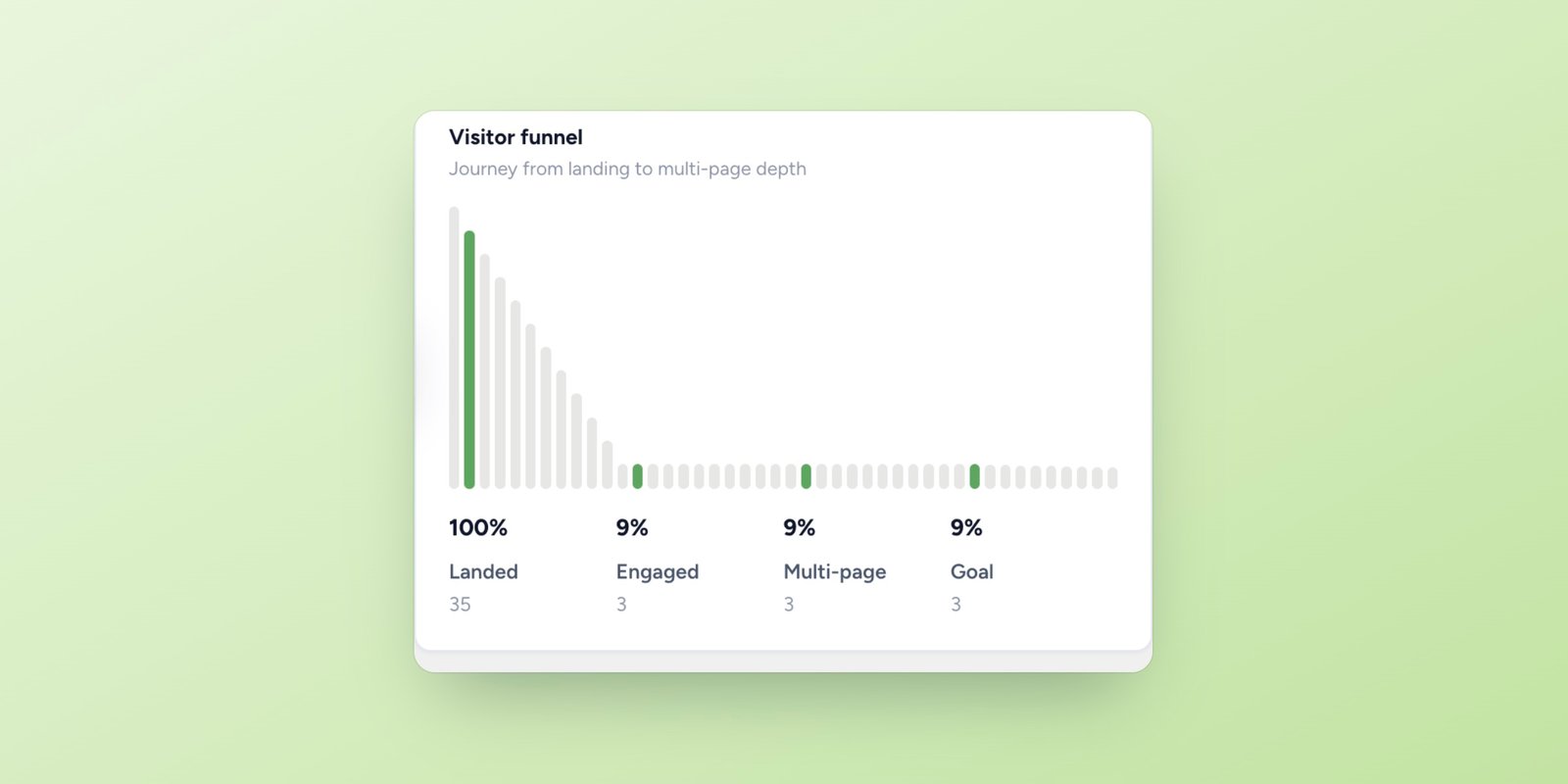
The funnel in Live Traffic Analytics is a session-depth funnel. It groups sessions by how far they progressed through your site: Landed, Engaged, Multi-page, and Goal. Each stage is a smaller group than the one before it, which is why the shape looks like a funnel.
It is not a sales funnel. It does not track revenue, attribute purchases to channels, or tell you which ad produced a customer. Think of it as a health check for how well your pages invite a next step.
That distinction matters because it keeps your expectations realistic. The funnel helps you improve navigation, internal links, and calls to action. It does not prove that a page made money.
Where to find the funnel
The visitor funnel is included in the Free plugin. To view it:
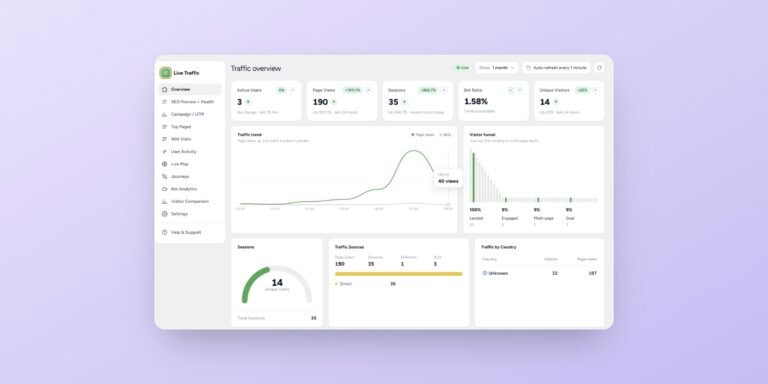
- Go to Traffic Analytics → Overview in wp-admin.
- Find the funnel section with the four stages.
- Check your reporting period in Traffic Analytics → Settings → Show data from the last.
The exact rules for each stage are described in the documentation, and you can see a summary on the funnel feature page. As with every report, the funnel only includes visits recorded after installation, so let a few weeks of data build up before comparing periods.
The four stages explained
| Stage | Plain-English meaning | Question it answers |
|---|---|---|
| Landed | Sessions that arrived on any page | How many sessions started? |
| Engaged | Sessions that went beyond a quick arrival | Did the first page hold attention? |
| Multi-page | Sessions that viewed more than one page | Did people find a reason to continue? |
| Goal | Sessions that reached the deepest stage the report tracks | Did people go as far as you hoped? |
Landed
Every session starts here. This number is your baseline, and every other stage is a share of it. A change in Landed usually reflects traffic volume, which you can explore further in the source, device, and country breakdowns.
Engaged
This stage separates sessions that did more than arrive. A big drop between Landed and Engaged suggests the first page is not holding attention, or that the visitor did not find what the link promised.
Multi-page
These sessions clicked through to at least one more page. This is where internal links, menus, and related content do their work. If Engaged is healthy but Multi-page is low, people are reading but not finding a natural next step.
Goal
The final stage shows the deepest sessions. Use it as a relative signal: is it growing or shrinking over time, and does it move when you change your pages?
Reading the drop-offs
Every funnel loses sessions at each stage. That is expected. The useful question is where the biggest drop happens and whether it changes after you make improvements.
- Biggest drop at Landed → Engaged. Focus on first impressions: page speed, a clear headline, content that matches the link that brought people in, and a mobile layout that works.
- Biggest drop at Engaged → Multi-page. Focus on next steps: related posts, contextual links in the body, and a clear call to action near the end of the content.
- Biggest drop at Multi-page → Goal. Focus on the path to your most important pages: is the route obvious, and are there too many detours?
Compare the funnel across weeks rather than days. A burst of social traffic can temporarily lower the Engaged share because casual visitors often leave quickly. Check your traffic sources to see whether a change came from one channel.
Tip: Write down the four stage numbers once a week in a simple spreadsheet. After a month you will see the normal range for your site, which makes real changes much easier to spot.
Improving internal links and calls to action
Most funnel improvements come down to giving people a clear, relevant reason to keep going. Here are practical changes that tend to help sessions move deeper.
Start with your busiest pages
Go to Traffic Analytics → Top Pages and list your top ten pages. These pages start the most sessions, so improvements there affect the funnel the most. Our guide to finding your most popular WordPress pages explains how to read that report.
Add contextual internal links
- Link to a related guide where a reader would naturally want more detail, not only at the bottom.
- Use descriptive link text that says what the reader will get, rather than “click here.”
- Link from older, popular posts to newer, relevant content.
Make one call to action obvious
- Decide what the single best next step is for each important page.
- Place it where readers finish the main content, and consider an earlier mention on long pages.
- Avoid stacking several competing buttons that pull in different directions.
Fix dead ends
Some sessions stop because they hit a missing page. The free 404 Visits report shows missing paths and referrers so you can repair internal links that point nowhere. Our guide on finding 404 visits in WordPress covers the workflow.
Going deeper and avoiding common mistakes
When Pro journey data helps
The funnel tells you how many sessions reached each stage. It does not show the exact pages each session visited in order. For that, Pro adds User Journeys, which lists ordered page paths for recent sessions, and User Activity, which shows recent visitor-level activity.
Many site owners find the Free funnel is enough to guide routine improvements. If you regularly ask “which page did they go to next?”, journey data can answer that directly. You can compare plans on the pricing page.
Common funnel mistakes
- Treating Goal as sales. The funnel measures session depth, not purchases or revenue.
- Chasing a perfect shape. There is no universal “good” percentage. Compare your site against itself over time.
- Changing everything at once. Make one or two changes, wait, and then compare. Otherwise you cannot tell what helped.
- Ignoring device context. If most visitors are on phones, test your internal links and buttons on a real phone.
Frequently asked questions
Is the visitor funnel included in the Free plugin?
Yes. The Landed, Engaged, Multi-page, and Goal funnel is part of the Free Overview dashboard.
Does the Goal stage track sales or conversions?
No. The funnel is a session-depth report. It does not attribute sales, track ad clicks, or measure revenue.
What is a good drop-off rate?
There is no single benchmark. Sites, topics, and audiences differ, so track your own numbers weekly and look for changes after you improve a page.
Can I see the exact pages a visitor viewed?
That is what Pro User Journeys provides: ordered page paths for recent sessions. The Free funnel shows stage totals.
Help visitors take the next step
A visitor funnel turns a vague feeling (“people leave too fast”) into a clear place to start. Find the biggest drop, improve links and calls to action on your busiest pages, and watch the trend. Install Live Traffic Analytics free from WordPress.org and see your WordPress visitor funnel inside wp-admin.