Bot traffic on WordPress is completely normal: search engine crawlers, uptime monitors, feed readers and less friendly scripts all request your pages every day. The trouble starts when those automated visits get mixed into your human numbers and make a quiet week look like a breakthrough. This guide shows how to read bot data in Live Traffic Analytics so you can tell people from programs before drawing conclusions.
Why bot traffic matters for your analytics
Every request to your site looks roughly the same to a server, whether it comes from a person on a phone or a script running in a data center. If an analytics tool counts them all together, page views can jump for reasons that have nothing to do with your content or marketing.
That leads to real mistakes. You might credit a newsletter for a spike that was really one aggressive scraper, or spend time rewriting a page that only bots were visiting. Separating automated traffic from human traffic keeps your decisions grounded in what people actually did.
Not all bots are the same
It helps to think of bots in a few broad groups rather than as one enemy:
- Helpful bots: search engine crawlers and link preview services that help your pages appear in search and social posts.
- Service bots: uptime checkers, feed readers and tools you or your host set up on purpose.
- Unwanted bots: content scrapers, spam form submitters and scripts probing for login pages or weak plugins.
The first two groups are expected. The third is worth watching, because it can waste server resources and fill your inbox with junk.
Where to find bot data in the free plugin
You do not need Pro to see how much of your traffic is automated. The free Overview dashboard includes the basics:
- Go to Traffic Analytics → Overview in wp-admin.
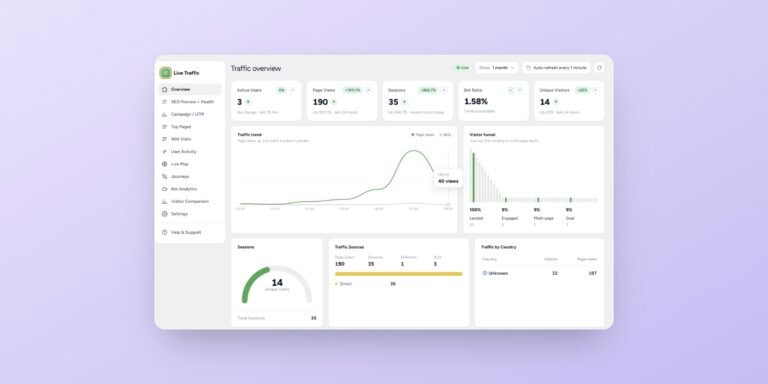
- Find the bot ratio, which shows what share of recorded visits were flagged as automated.
- Look at the bot count next to the human-visitor count for the same reporting window.
- Compare those numbers with page views and sessions to see how much of the activity was human.
Bot traffic is also excluded from the Top Pages report and from total-view reporting. That means the pages you see ranked in Top Pages reflect human visits, which is exactly what you want when choosing pages to improve. You can read more about the Overview metrics on the features page.
How bot data stops you over-reading spikes
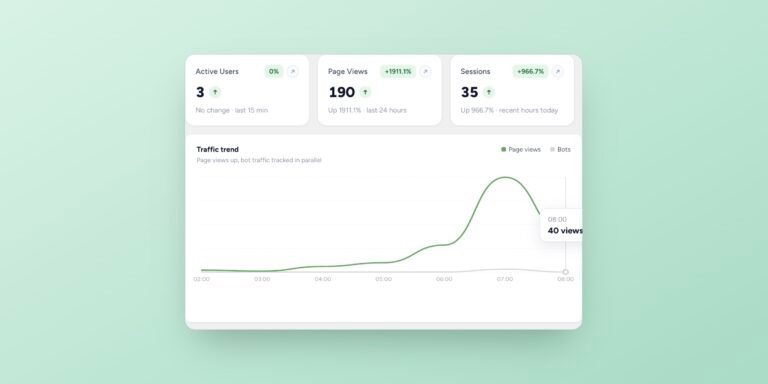
Imagine your Overview shows a sharp rise in activity on a Tuesday afternoon. Before celebrating, check two things: did the bot count rise at the same time, and did the human count rise too?
| What you see | Likely meaning | Sensible next step |
|---|---|---|
| Human count up, bot count steady | Real people arrived, perhaps from a share or campaign | Check sources and Top Pages to see where they came from |
| Bot count up, human count steady | Automated activity, not new readers | Do not credit content or marketing for the spike |
| Both up together | A popular page may be attracting crawlers and people | Look at human numbers on their own before reporting |
| Bot ratio high for weeks | Ongoing scraping or probing | Review form protection, caching and security settings |
This habit is especially useful when you report traffic to a client or manager. Quoting human visitors instead of raw requests gives a more honest picture. Our weekly traffic report template includes a bot ratio check for this reason.
How detection works, and its limits
Live Traffic Analytics flags bots using two kinds of signals. The first is the user-agent string, the label a browser or script sends with each request. Many legitimate crawlers identify themselves clearly. The second is suspicious-request-pattern scoring, which looks at behavior that does not resemble a normal visitor.
These signals are helpful, but they are not proof of identity. A script can pretend to be a normal browser, and an unusual but genuine visitor can occasionally look automated. So treat the bot ratio as a strong guide rather than an exact count, and look at trends over several days instead of a single hour.
Tip: if your numbers differ from another analytics tool, bot handling is often part of the reason. Each tool decides what to count in its own way, so compare trends within one tool rather than matching figures across tools.
When named-bot reporting helps (Pro)
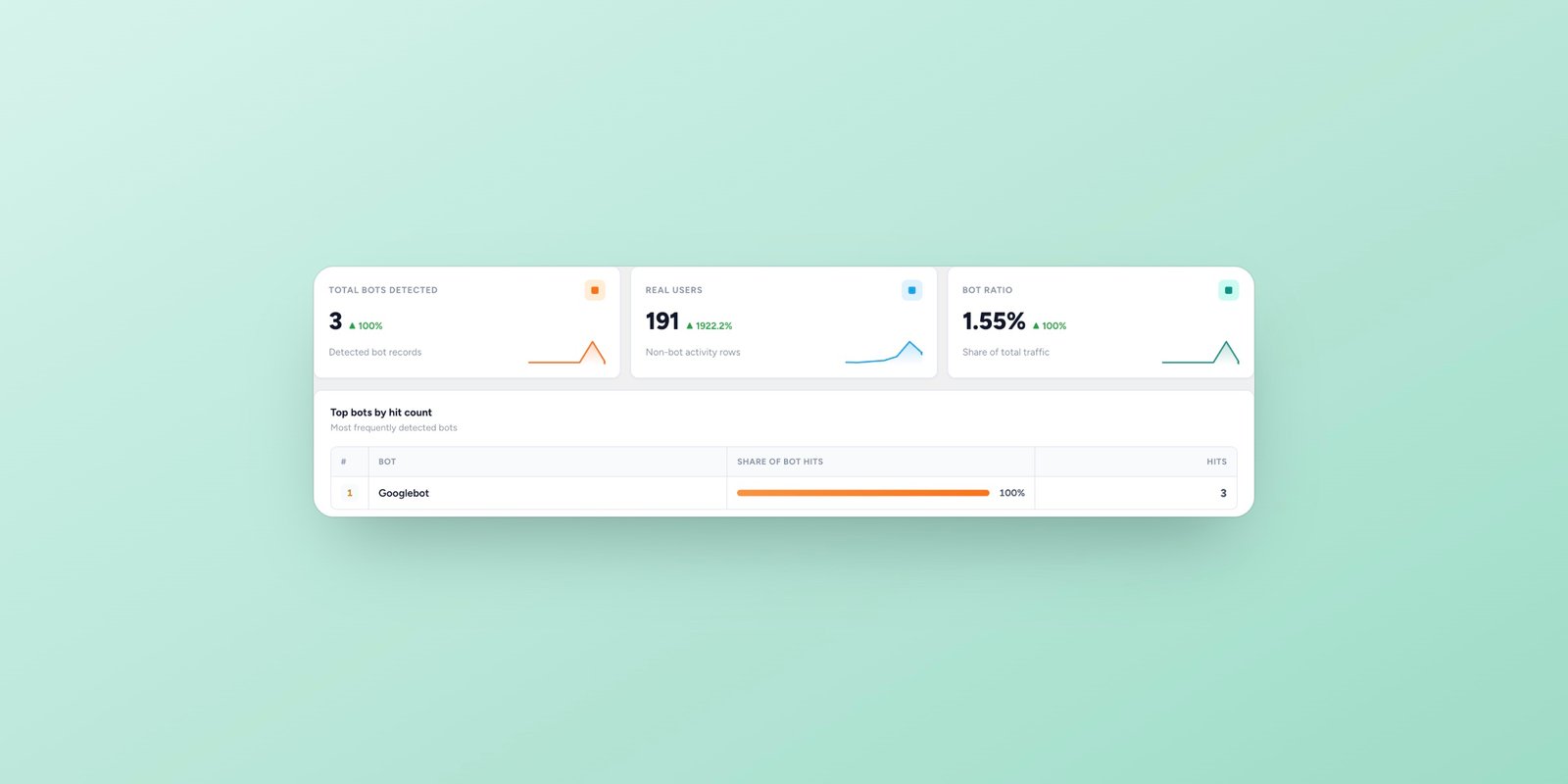
The free bot ratio answers the question “how much of my traffic is automated?” Sometimes you need to know which bots are visiting. That is what the Pro Bot Analytics tab adds: a named-bot breakdown and a more detailed report than the Overview summary.
Named-bot data is useful when:
- The bot ratio stays high and you want to see whether it is search crawlers or something less welcome.
- You suspect a particular scraper is copying your content.
- Your host warns about high resource use and you want more detail before changing settings.
- You manage client sites and need to explain unusual traffic clearly.
Pro also includes User Activity, User Journeys, Live Map and Visitor Comparison. You can compare plans on the pricing page.
Practical actions once you understand your bot traffic
Knowing your bot ratio is only the start. Here are sensible steps site owners take once they can see automated activity clearly.
Compare spikes before reacting
When traffic jumps, check the human count first. If only bots rose, there is nothing to celebrate and usually nothing urgent to fix. If humans rose, look at sources and pages to learn what worked.
Protect your forms
If contact or comment forms collect spam, add a honeypot field, a spam filter plugin or a challenge on the form. A high bot ratio paired with spam submissions is a good reason to act.
Improve caching
Bots that request many pages can slow down sites on modest hosting. A page cache serves those requests without running WordPress each time, which helps both bots and people get a fast response.
Do not treat every visit as a lead
Automated visits never fill out a quote form in good faith. Keep sales and outreach decisions tied to human activity and actual enquiries, not raw request totals.
It is also worth checking the 404 Visits report, which excludes bots and shows missing URLs that real visitors reached. That keeps your fix list focused on people instead of scripts probing random paths.
Frequently asked questions
Is bot traffic bad for my WordPress site?
Not always. Search crawlers and monitoring services are useful. Bot traffic becomes a problem when scrapers or spam scripts use resources or distort your reports.
Can I see bot data without Pro?
Yes. The free Overview shows bot ratio, bot count and human-visitor count. The named-bot breakdown is a Pro feature.
Are bots counted in my Top Pages report?
No. Bot traffic is excluded from Top Pages and from total-view reporting, so those figures focus on human visits.
Is bot detection always correct?
No detection method is perfect. User-agent checks and pattern scoring are useful signals, but some scripts disguise themselves. Look at trends rather than single numbers.
See how much of your traffic is human
A quick look at your bot ratio can change how you read every other number on the dashboard. Learn more in the documentation, then install Live Traffic Analytics free from WordPress.org and start with the bot ratio in your Overview. When you need to know exactly which bots are visiting, Pro named-bot details are there for deeper investigation.